We've written about what Copilot Cowork costs and how it differs from Copilot Chat. The question that naturally follows both is the one that matters to anyone signing the checks: is it actually worth paying for?
The honest answer is that it depends on who's using it and for what, which sounds like a dodge but isn't. Cowork is priced by usage, so unlike a normal software decision, "worth it" isn't a yes or no about the product. It's a yes or no about specific people doing specific work. For the right person, the math is lopsided in Cowork's favor. For the whole company on day one, it usually isn't. Here's how to tell the difference.
A Quick Refresher on What You're Paying
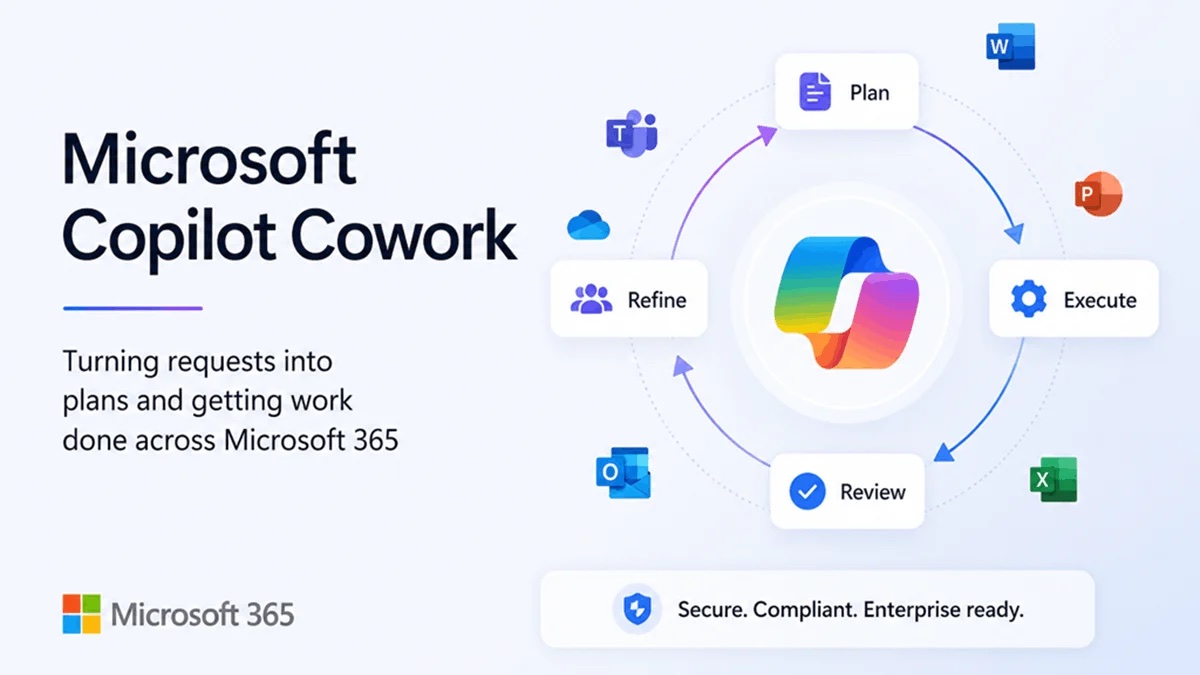
Cowork requires the Microsoft 365 Copilot license at $30 per user per month, and then bills separately for the tasks it runs. Microsoft's published tiers put a light task at roughly $1 to $3, a medium task at $4 to $7, and heavy multi-output work at $7 and up. Someone who hands Cowork one medium task every working day lands around $85 to $150 a month in usage on top of the license.
Those aren't scary numbers on their own. The question is what you get back for them.
The Case For: When the Math Is Easy
The strongest argument for Cowork is simple arithmetic. If a $5 task replaces an hour of an employee's time, and that employee costs your business $40 to $60 an hour fully loaded, the task pays for itself eight to twelve times over. Run that trade a few times a week and Cowork is one of the cheapest productivity purchases available to a small business right now.
The catch is the word replaces. The math only works when the task Cowork does is one a person would otherwise have done, at similar quality, and the person actually spends the freed hour on something useful. That's why the value concentrates in roles with a particular shape of work: recurring, pattern-based, assembly-heavy tasks that pull from information scattered across email, files, and meetings.
A few examples of where it fits well. An operations manager who builds the same weekly status package from a dozen sources. A sales lead who needs a research brief before every discovery call. An executive assistant handling calendars, follow-ups, and meeting prep for several people. A leader who wants a Monday-morning summary of everything that moved last week. In each case the work is real, it repeats, and it follows a pattern Cowork can learn once and run repeatedly.
There's a second, quieter benefit: the work happens while nobody's watching. Cowork runs in Microsoft's cloud, so a research brief requested at 5pm is waiting in the morning. For tasks that block other work, that turnaround has value beyond the hour saved.
The Case Against: When It Isn't Worth It Yet
Now the other side, because there's a real one.
Most employees don't have Cowork-shaped work. For someone whose day is meetings, phone calls, and one-off judgment calls, there's no recurring assembly task to delegate. Copilot Chat, which is already included in the license, covers what they need. Paying usage fees so someone can do what Chat does for free is the most common way businesses waste money on this product.
Teams that haven't built the AI habit get little from it. Delegating well to Cowork requires knowing what to ask for, and that skill comes from months of working with AI, not from a license assignment. A team that hasn't gotten comfortable with Chat will mostly poke at Cowork, run a few novelty tasks, and quietly stop, having spent money learning nothing.
Usage costs are only predictable if someone makes them predictable. Cowork ships with spending caps, alerts, and per-user limits, and every one of them is opt-in. Enabled broadly with no controls, it becomes a variable line item with no owner. The businesses that report surprise costs almost always skipped this step, not because it's hard, but because nobody was assigned to it.
The product is weeks old. Cowork went generally available in mid-June 2026. It's already good, and it will also change: models will be swapped, pricing will be tuned, features will move. Building a critical process on it today means accepting some churn. That's a reason for measured adoption, not avoidance, but it's worth saying plainly.
A Simple Worth-It Test
Skip the vendor ROI calculators. Two questions get you most of the way.
First, can you name the tasks? Not "we'd use it for productivity," but actual, specific, recurring work: the Thursday client report, the pre-call research, the monthly board summary. If you and your team can list three or four of those between you, Cowork has raw material to work with. If nobody can name one, that's your answer for now, and it costs nothing to wait.
Second, do the per-task math on the ones you named. Estimate the hours each task takes today, multiply by what that person's time costs, and compare it against a few dollars per run. If the gap is wide on even two or three tasks, a pilot is justified. If every candidate task saves ten minutes, it isn't.
Our Verdict
Worth it? For two or three people in most small businesses, yes, clearly, and probably starting now, because the cost of a narrow pilot is trivial and the learning compounds. For the whole company, not yet, and the usage-based pricing means there's no penalty for admitting that. The people who don't run tasks don't cost you anything.
The rollout that works looks the same as the one we've described before: pick the few people whose work fits, set the spending caps and alerts before the first task runs, look at the usage report after a month, and let the results decide what happens next. Cowork makes that easy to do, since it's off by default and the controls are built in. Whether it's worth it in month two is something your own numbers will tell you better than any article can, ours included.
Common Questions About Whether Copilot Cowork Is Worth It
Is Copilot Cowork worth the cost?
For two or three people in most small businesses whose work is recurring and assembly-heavy, yes, and probably starting now. For the whole company on day one, usually not. Because Cowork is billed by usage, the people who don't run tasks cost you nothing extra, so there is no penalty for starting narrow.
How do I know if Copilot Cowork is worth it for my team?
Two questions get you most of the way. First, can you name specific, recurring tasks like the Thursday client report, the pre-call research, or the monthly board summary? Second, does the per-task math work when you compare the hours a task takes today, times what that person's time costs, against a few dollars per run? If the gap is wide on even two or three tasks, a pilot is justified.
When is Copilot Cowork not worth it?
When most of your employees don't have recurring, assembly-shaped work to delegate, when your team hasn't built the AI habit with Copilot Chat yet, or when nobody is assigned to set the spending caps and alerts. Paying usage fees so someone can do what Chat already does for free is the most common way businesses waste money on this product.
How much does Copilot Cowork cost to run?
Cowork requires the Microsoft 365 Copilot license at $30 per user per month, and then bills separately per task. Microsoft's published tiers put a light task at roughly $1 to $3, a medium task at $4 to $7, and heavy multi-output work at $7 and up. Someone who runs one medium task every working day lands around $85 to $150 a month in usage on top of the license.
Want help running the pilot?
CNI can help you pick the right people, set the controls before anything runs, and read the results honestly, including telling you if the answer is "not yet." No pitch, no pressure.
Sources: Microsoft 365 Blog: Copilot Cowork is now generally available (June 16, 2026); Microsoft Learn: Copilot Cowork overview; Microsoft Learn: Usage-based billing and Copilot Credits; Quisitive: Copilot Cowork Pricing 2026. Pricing current as of July 2026.